WhatsApp Conversation Prioritization

Check

No credit card required

Interface displaying WhatsApp message priority settings and performance metrics in TopMessage.
Business user viewing a high-priority WhatsApp message in TopMessage.
Team member monitoring prioritized WhatsApp messages updating in real time.
User tracking multiple WhatsApp conversations with assigned priority levels.
Developer reviewing WhatsApp message priority logs to ensure correct handling and response.

Prioritize WhatsApp Messages

WhatsApp is widely used for businesses messaging, but important chats can get buried. TopMessage WhatsApp conversations prioritization ensures urgent messages appear first, keeping your inbox organized and manageable.

Assign priority to key conversations to ensure you never overlook messages from important contacts.

Check

No credit card required

Urgency-Based WhatsApp Messaging

View Your Key Messages First

User managing multiple chats in TopMessage, with important conversations sorted by priority for focused workflow.

WhatsApp Message Sorting

Managing multiple chats? Keep your attention on important chat by sorting conversations by priority, so less critical messages don’t interrupt your workflow.
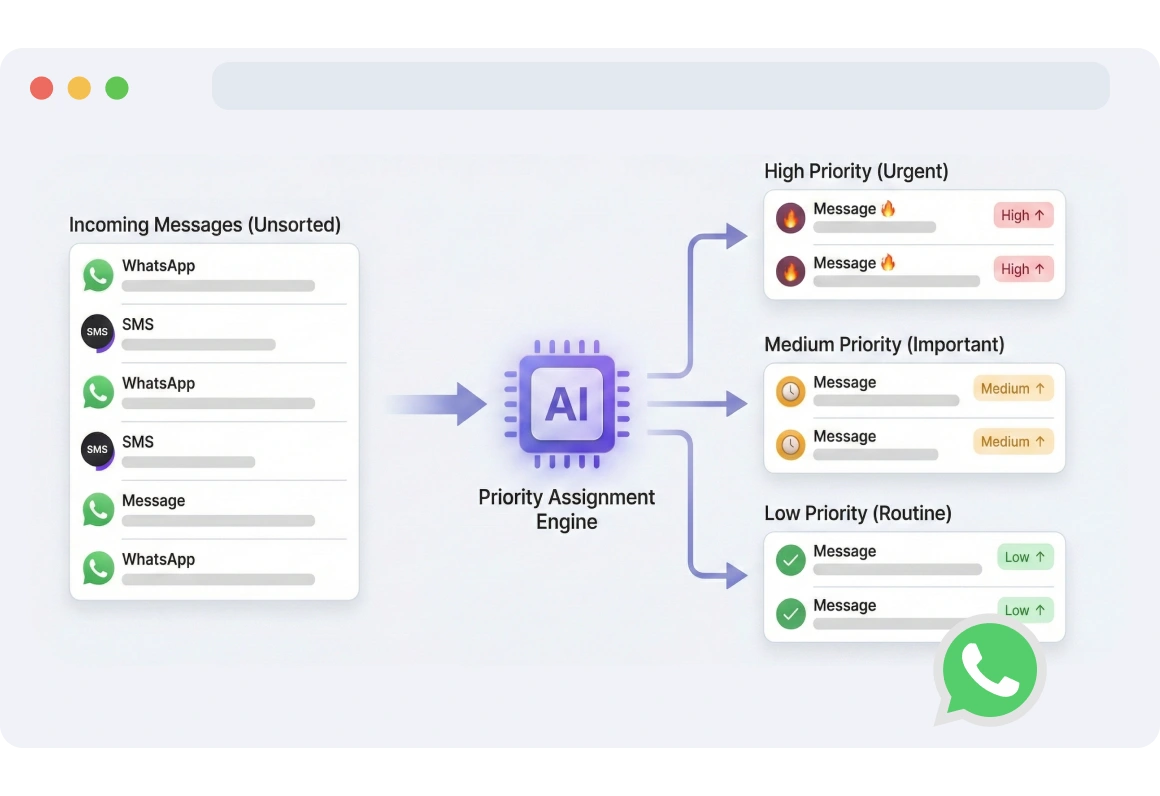
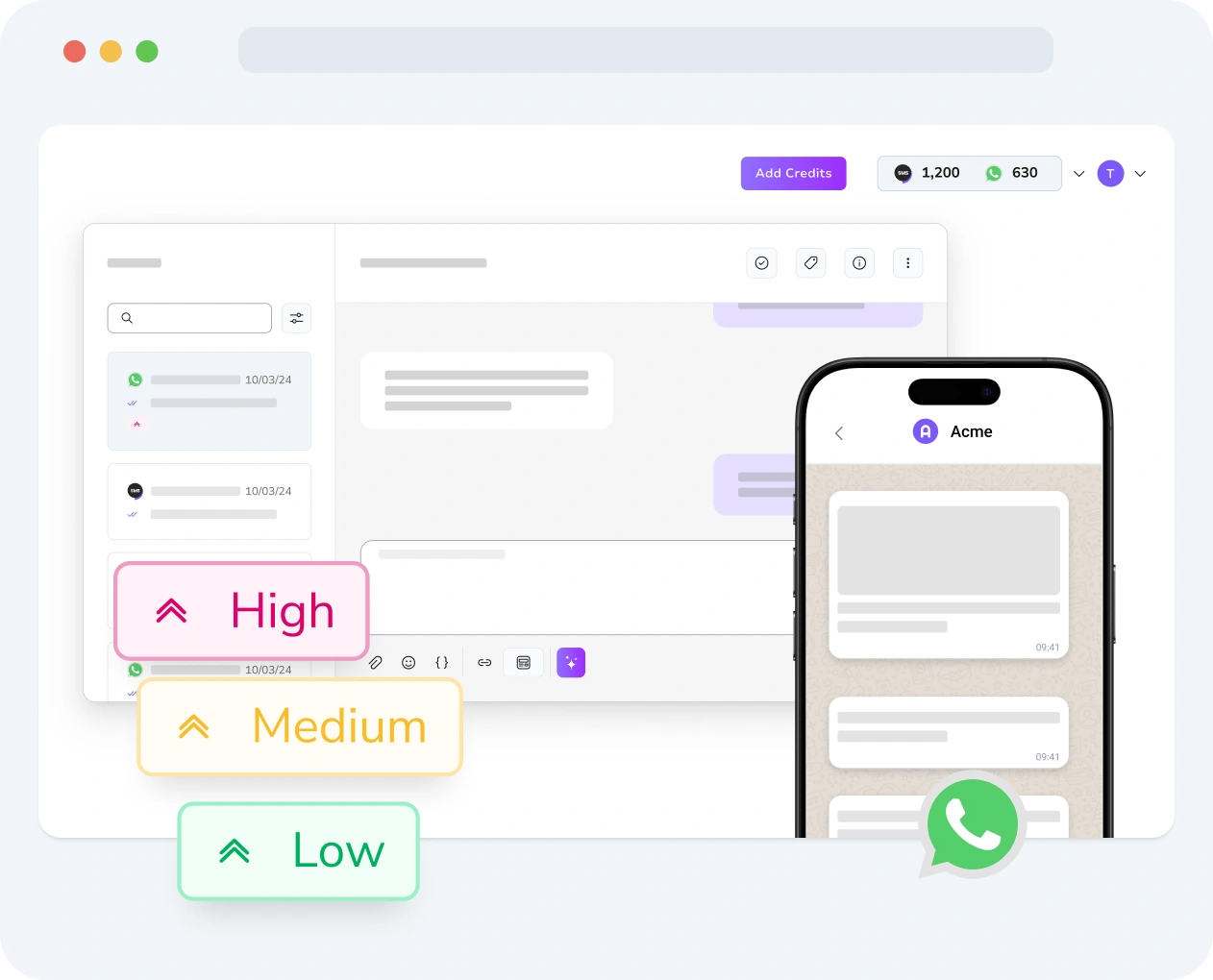
Interface showing WhatsApp messages with high, medium, and low priority assigned, helping teams allocate resources efficiently.

Multilevel Priority

Allocate resources effectively by highlighting and prioritizing key conversations in your inbox. Assign high, medium, or low priorities to each WhatsApp message to optimize workflow and improve efficiency

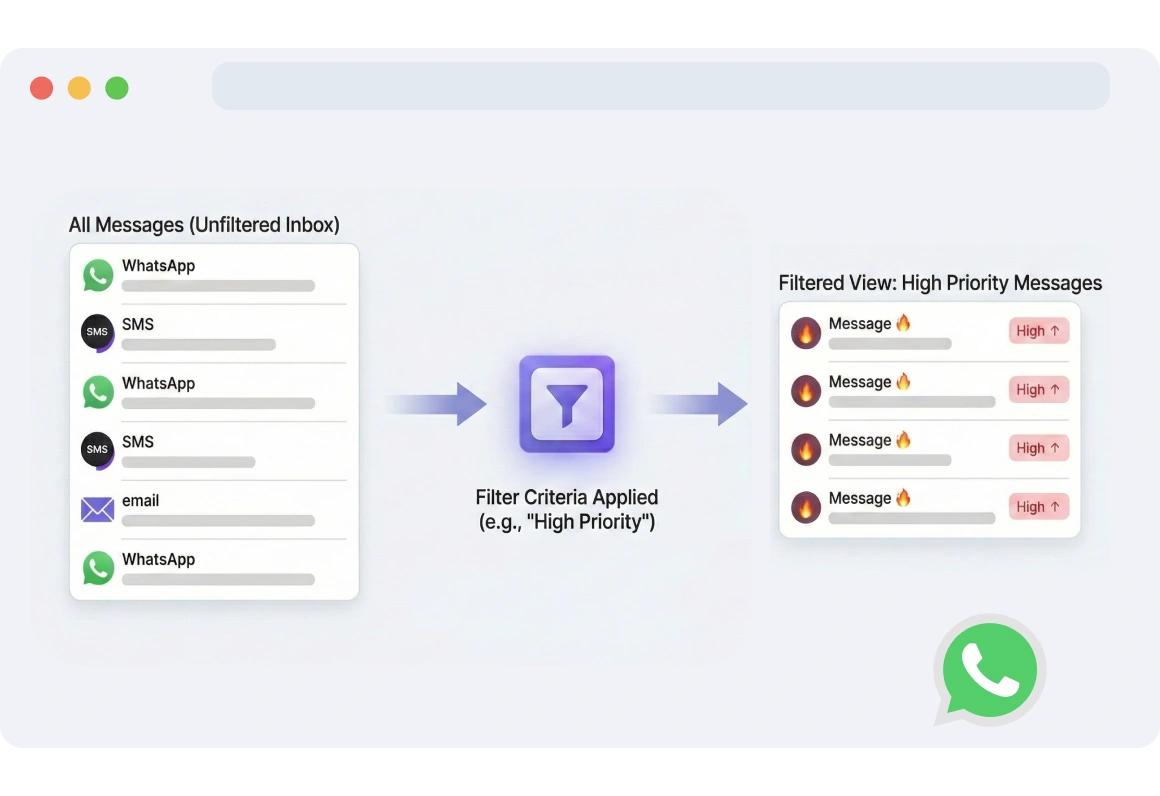
Dashboard view displaying filtered WhatsApp messages by priority, with urgent conversations appearing at the top for quick access.

Priority-based WhatsApp Filtering

Keep your inbox organized by filtering messages by priority. Urgent messages always appear at the top for quick access.
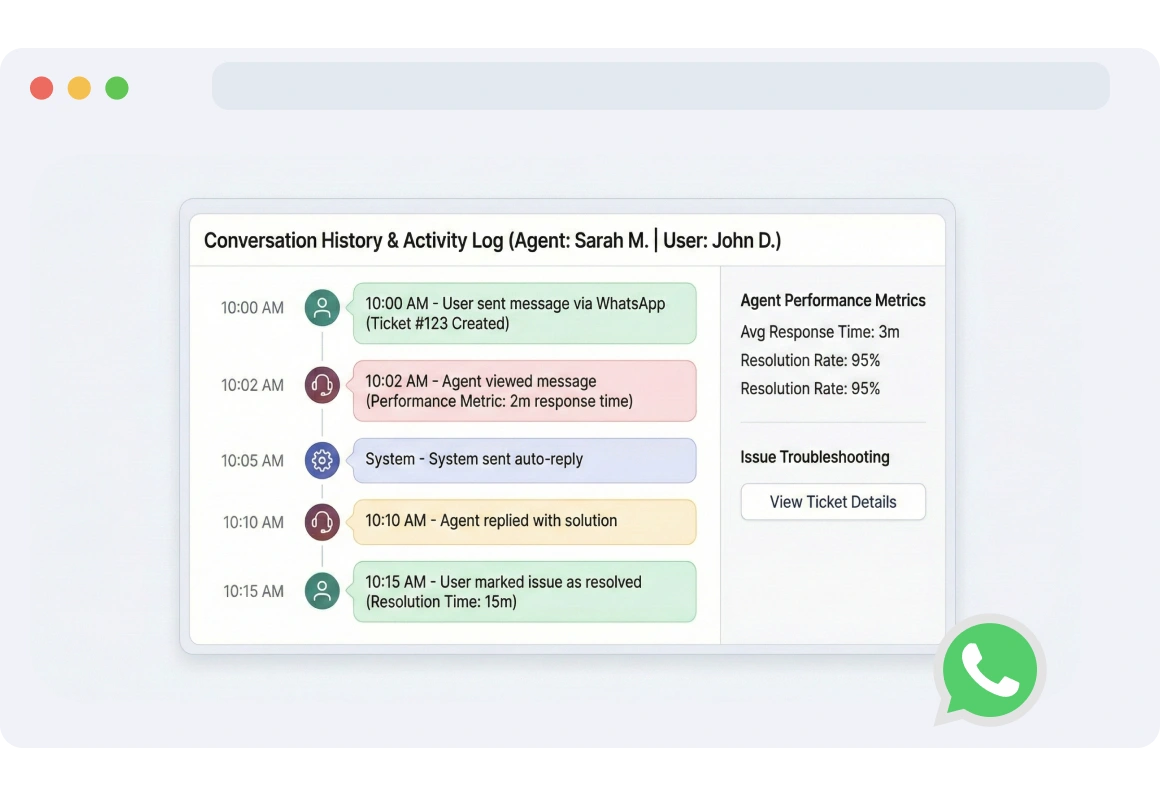
TopMessage interface tracking message priority changes over time, providing visibility into communication workflows and efficiency.

Track Priority History

Gain complete visibility into your communication workflows. Monitor how message priorities change over time.

FAQs

What is WhatsApp conversation prioritization, and how does it work in TopMessage?

WhatsApp conversation prioritization in TopMessage allows you to assign urgency levels to messages so that high-priority conversations appear at the top of your inbox. This ensures that critical messages are handled first, while lower-priority conversations remain accessible but do not interrupt your workflow.

How can I update the priority of WhatsApp messages based on urgency?

You can update the priority of WhatsApp messages directly in your TopMessage inbox. Simply select a conversation and assign it a high, medium, or low priority based on urgency. This ensures that time-sensitive messages are always surfaced for immediate attention.

What are the benefits of filtering WhatsApp messages by priority?

Filtering messages by priority helps you focus on the most important conversations, reduces response times for urgent issues, and keeps your inbox organized. It also ensures that your team efficiently allocates resources to address high-priority chats first.

How does real-time priority updating work for WhatsApp messages in TopMessage?

Priority updates happen instantly in TopMessage. When a message’s priority is changed, it immediately moves to the appropriate position in your inbox, so your team always sees the most urgent conversations first without refreshing or manual sorting.

How can I use read receipts to help prioritize WhatsApp conversations?
Read receipts provide insights into which messages have been seen by recipients. By combining read status with message priority, you can identify conversations that require follow-up and ensure timely responses to messages that have been read but not yet addressed.

What’s holding you back?

Prioritize WhatsApp Messages

Curly-haired girl sitting on the floor checking her phone for a “Thank You” message received for her subscription