Create Flexible Workflows With TopMessage SMS Webhooks
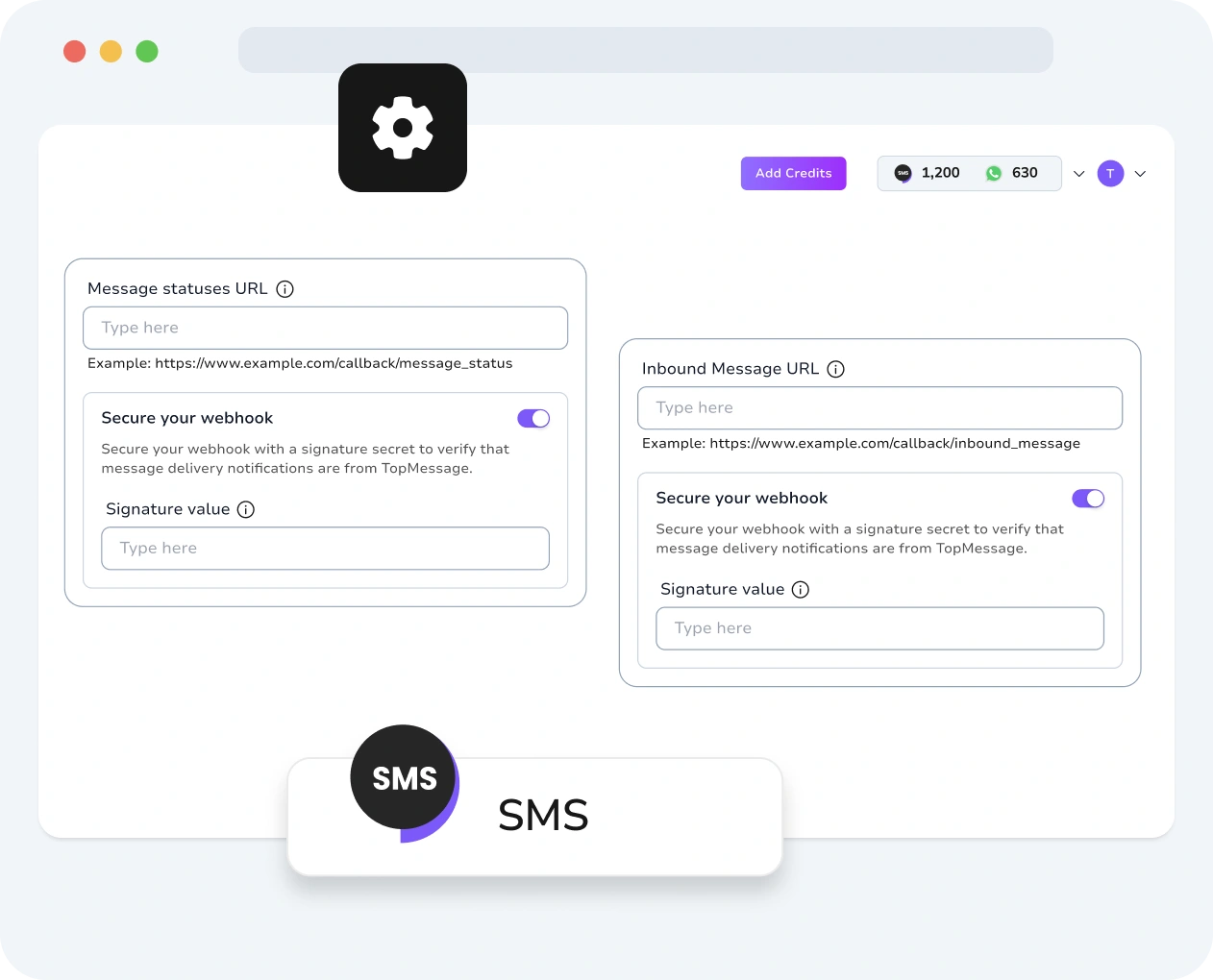
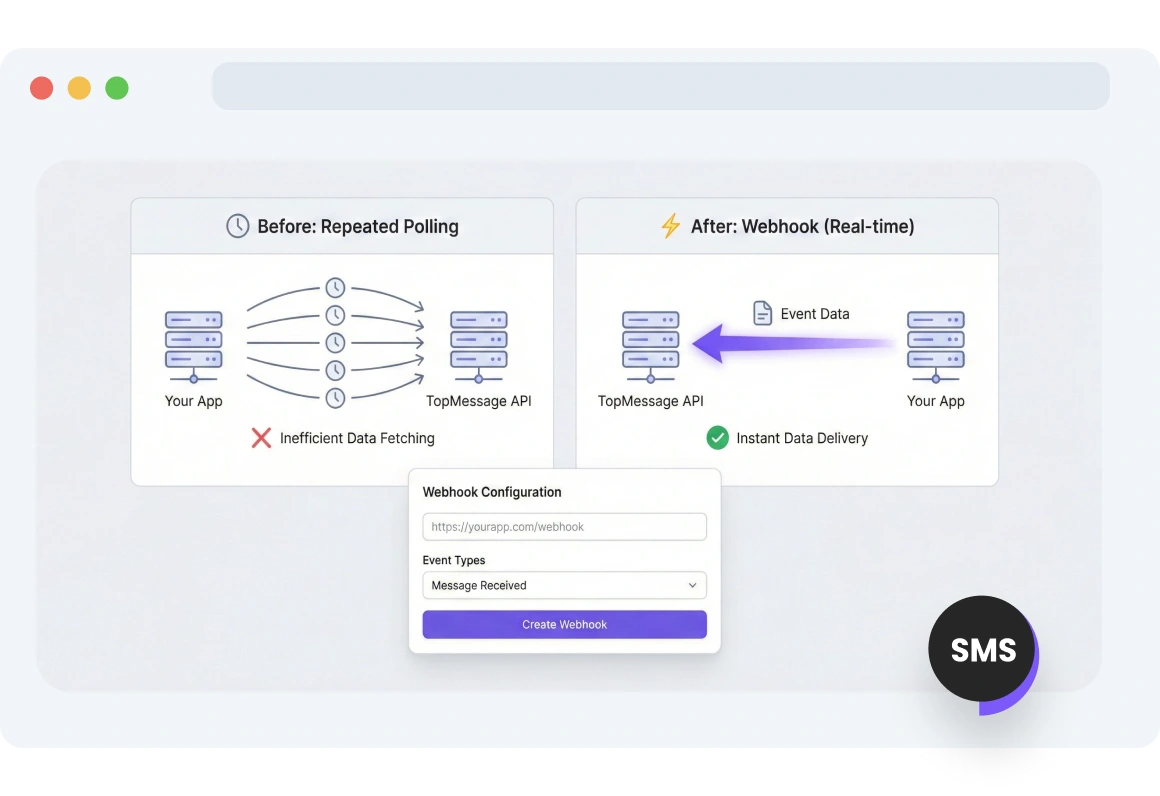
Configure SMS webhooks to receive real-time notifications for the events you choose. This is how your app talks to TopMessage:
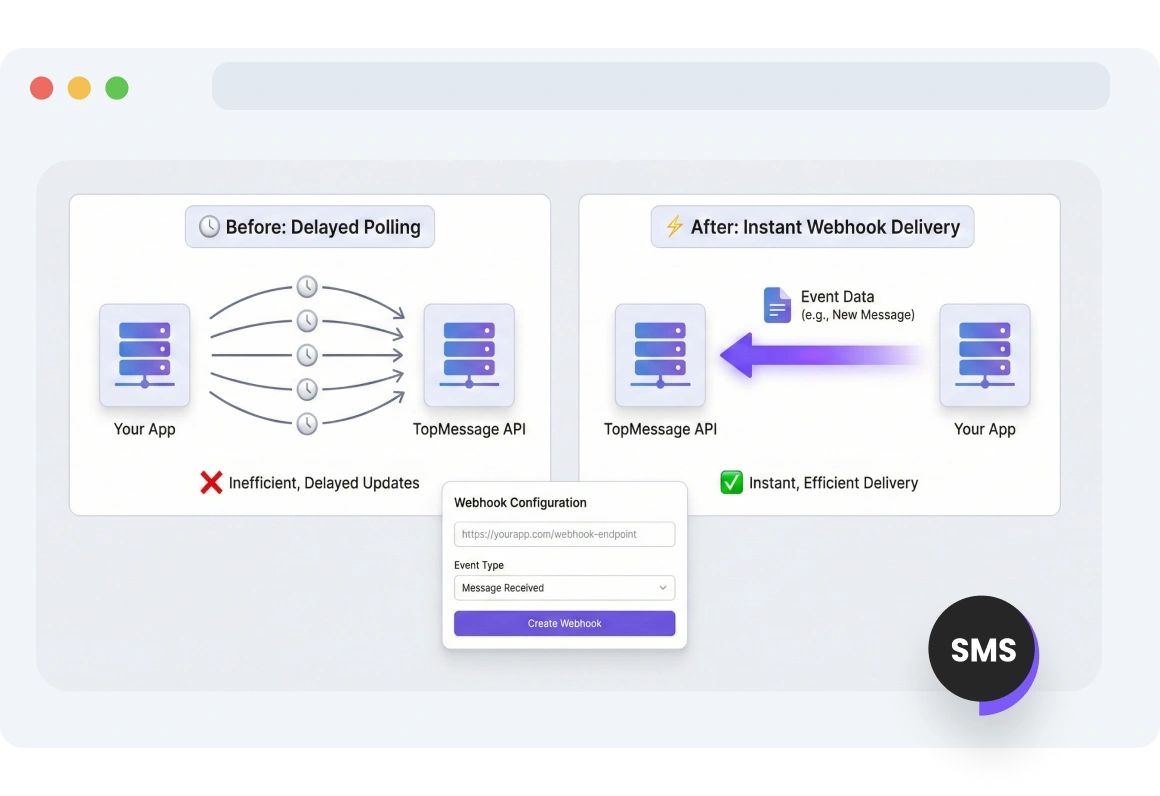
When a new SMS message arrives on your virtual number or when a message status updates delivered, read, failed, TopMessage automatically sends a data payload to your webhook URL. Use this data within your application to trigger the next step in your workflow, such as sending an automated reply or logging the status in your CRM.

No credit card required
SMS Webhook
Unlock the Full Potential of SMS Webhook Triggers
Automated SMS Workflows
Integrate TopMessage event data into your existing tech stack. Our webhooks trigger automated actions across your platforms when events you specify occur.
Real-time Notifications
With TopMessage SMS Webhooks, your applications receive real-time updates for every customer request or message delivery.
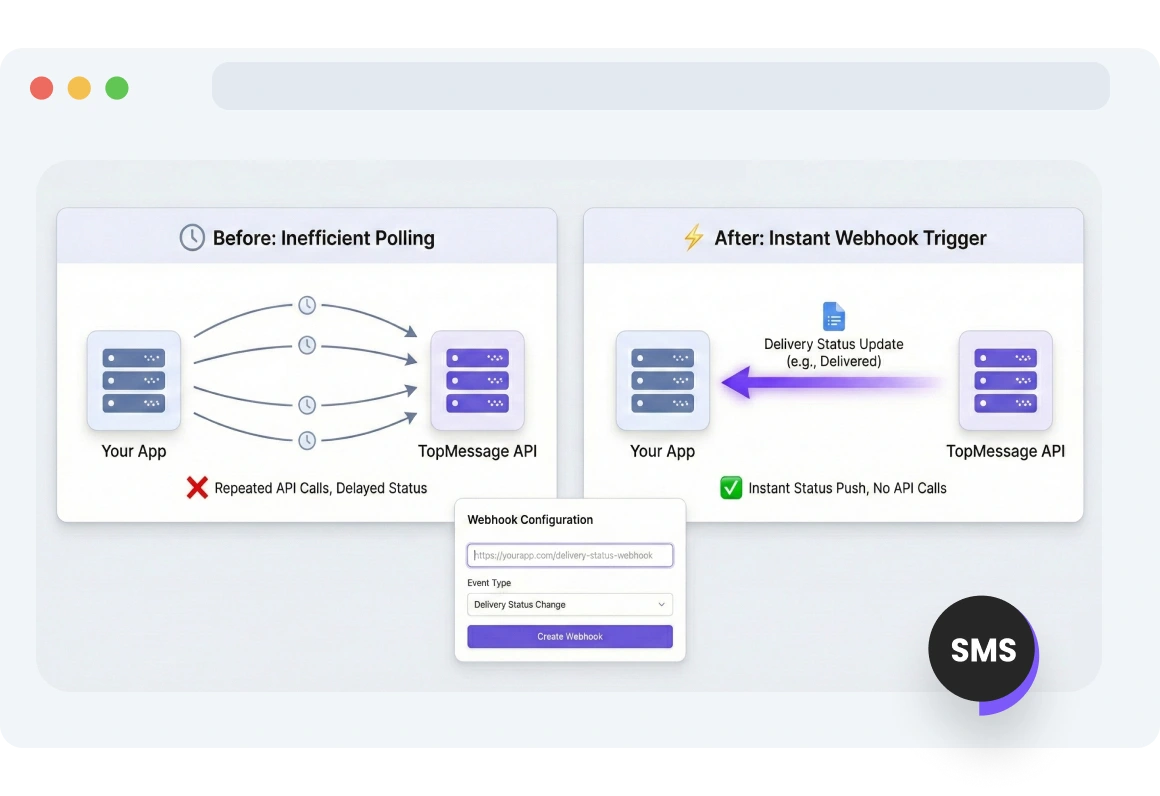
Webhook Trigger for SMS Delivery Status
Keep your app automatically up to date. Webhooks trigger whenever SMS statuses change, from pending to delivered or failed.
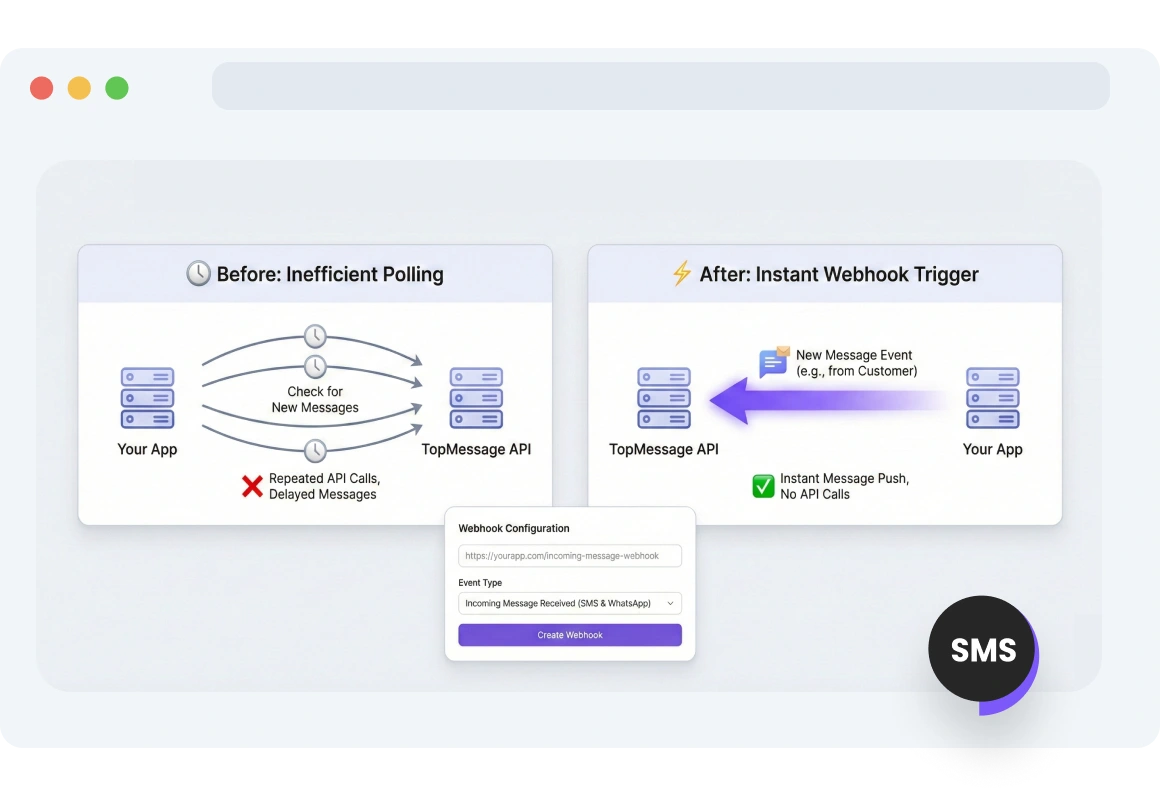
Webhook Trigger for Incoming SMS
Handle all customer queries in one place. TopMessage sends messages from your SMS virtual number to your platform via webhook.
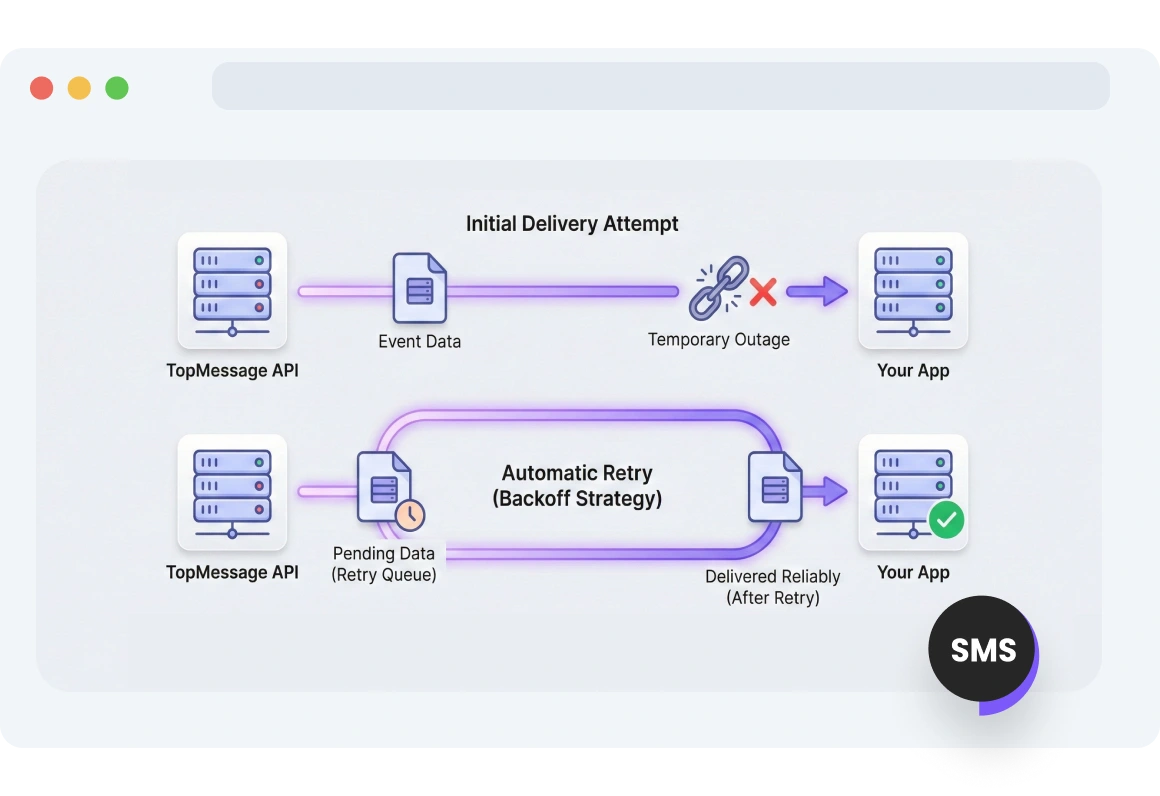
Retry Mechanism
Even during a temporary outage, TopMessage ensures all events are delivered by automatically retrying failed notifications.
FAQs
What are SMS webhooks and how do they work?
How can I set up SMS webhook endpoints?
What events can trigger SMS webhooks?
How do retry mechanisms work for SMS webhooks?
What are the benefits of using SMS webhooks for message automation?